Dynamic Configurations
Explore our resource’s outstanding features that enhance your server’s gameplay experience.
Camera Configuration
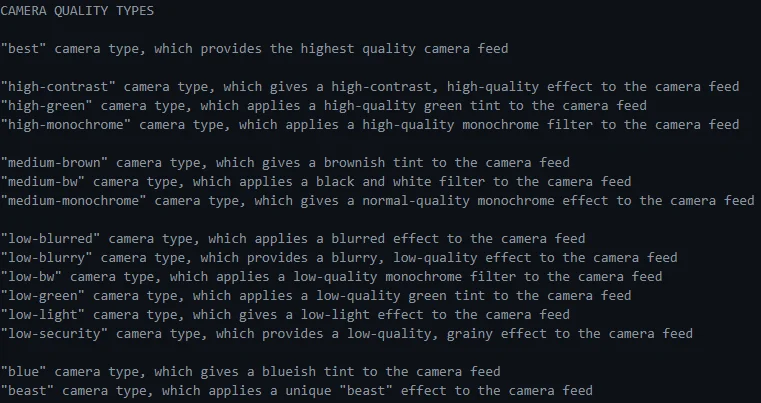
Section titled “Camera Configuration”- Customize a wide array of camera types, each with unique visual styles and effects.
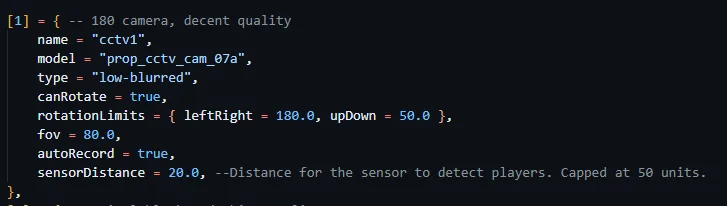
- Tweak camera properties such as field of view, rotation limits, auto-recording, and more.
- Adjust the detection range for camera sensors to optimize performance and gameplay balance.
Jammer Configuration
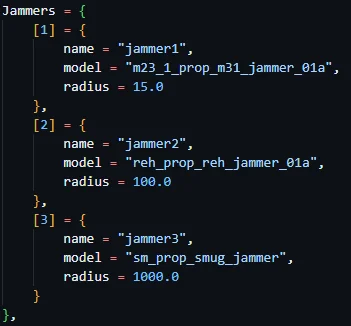
Section titled “Jammer Configuration”- Define multiple jammer types with distinct models and jamming radius.
- Easily expand the jammer selection by adding new types to the configuration file.
- Fine-tune jammer properties to achieve the perfect balance for your server.
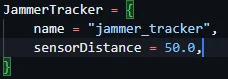
Jammer Tracker Configuration
Section titled “Jammer Tracker Configuration”- Specify the item name for the jammer tracker tool, seamlessly integrating it into your inventory system.
- Adjust the jammer tracker’s detection range to encourage strategic gameplay and counterplay.
Camera Settings
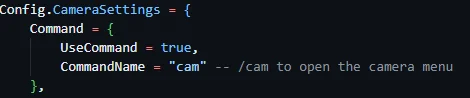
Section titled “Camera Settings”Main Command
Section titled “Main Command”- Enable or disable the camera control command
- Customize the command name (default: “cam”)
Buttons
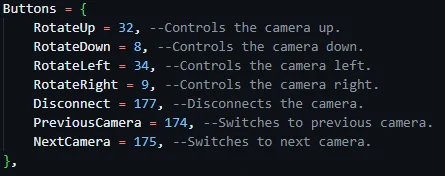
Section titled “Buttons”- Assign keybinds for various camera actions
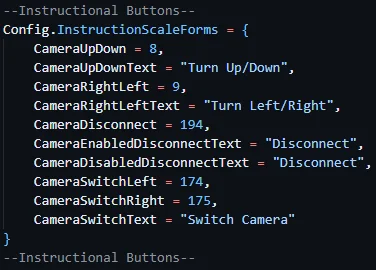
- Control camera rotation (up, down, left, right)
- Disconnect from the current camera
- Switch to the previous or next camera
Explosion on Camera Destruction
Section titled “Explosion on Camera Destruction”- Enable or disable camera explosion effect when destroyed
- Customize explosion type, damage scale, audibility, and visibility
- Compatible with server-side anticheat measures

Database Management
Section titled “Database Management”- Choose whether to delete broken personal cameras from the database
- Decide if broken work cameras should be removed from the database

Camera Movement
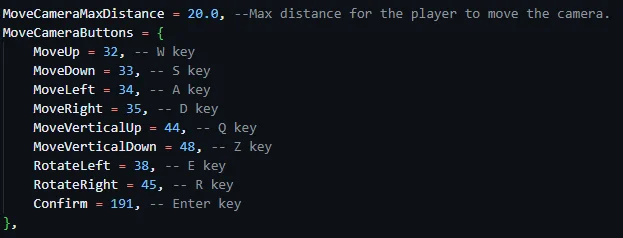
Section titled “Camera Movement”- Set the maximum distance a player can move the camera
- Define keybinds for camera movement (up, down, left, right, vertical up/down, rotation)
- Specify the confirmation key for placing the camera
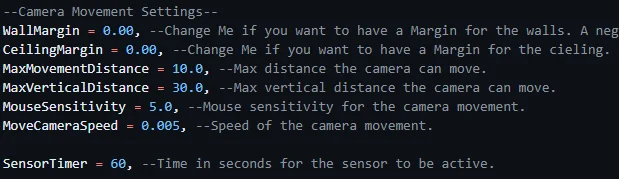
Advanced Camera Movement Settings
Section titled “Advanced Camera Movement Settings”- Adjust wall and ceiling margins to prevent camera clipping
- Set the maximum horizontal and vertical movement distances
- Customize mouse sensitivity for precise camera control
- Modify camera movement speed to achieve the desired responsiveness
- Specify the duration (in seconds) for the camera sensor to remain active
Instructional Buttons
Section titled “Instructional Buttons”- Customize the appearance and text of instructional buttons for a seamless user interface.
- Modify button scales and positions to ensure clear and intuitive guidance for players.